Monitor-perfect logos frequently turn into pixelated messes when printed large because they lack vector scalability, ruining your professional brand impact. When considering PNG vs SVG for merchandise, understanding how vectors and rasters work. Proper selection of file format will ensure good print quality and save your time, effort, and unnecessary proofs.
Why File Format Matters More Than You Think in Printing
Images are shown on monitors at 72-96 DPI, which means that even small images will appear sharp on the monitor screen. In contrast, printers require 300 DPI and above to have ink bleed through. For the selection of the best file format for printing, knowing how rasters and vectors work is essential.
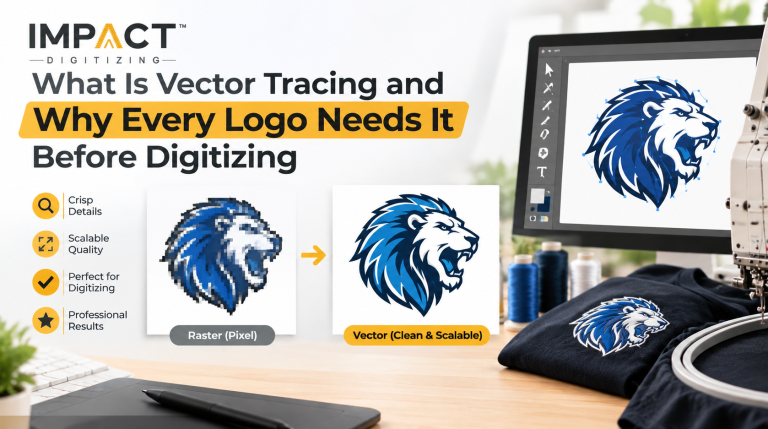
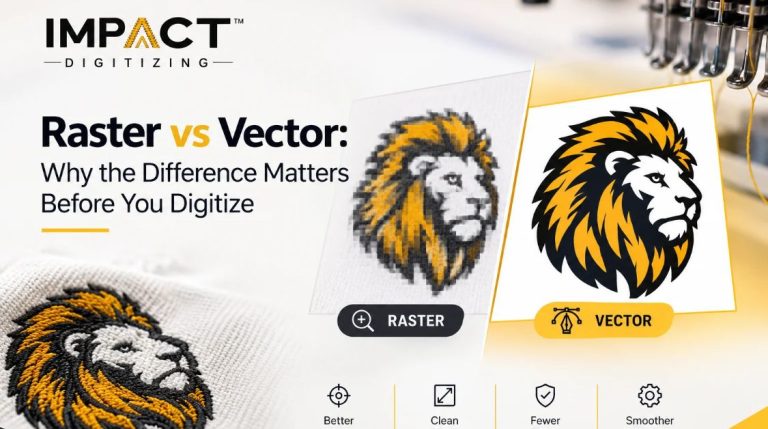
Pixel dependency creates a fixed grid ceiling, forcing software to guess missing details and create pixelation when stretched. Consequently, print shops routinely reject low-resolution files because physical manufacturing demands clean mathematical lines rather than a compromised raster image vs vector image output. For a deeper look into how digital assets translate physically, check out our guide on what vector art conversion is.
What Is PNG? (Raster Basics)
The PNG file format is a raster graphics file format based on a pixel grid that has colors. This format is known to employ lossless compression and possesses transparency features, thus becoming one of the most commonly used formats for online graphics. However, the resolution of the format is determined immediately when it is saved. Although the PNG format can capture photos, gradients, and other details, it lacks the mathematical capability of scalability.
What Is SVG? (Vector Basics)
The SVG file format uses images created using mathematical equations for lines, curves, points, and shapes, allowing resized without reducing the image quality. It stays sharp regardless of whether it appears on a tiny postage stamp or big billboards. As a scalable vector graphics format, an SVG can be opened in image editing software to change colors and shapes without reducing quality. It is the best format for logos, basic sketches, icons, and flat color branding. Learn more about other structures in our guide on File Formats for Vector Graphics.
PNG vs SVG: Quick Comparison at a Glance
When comparing SVG vs PNG for printing, structured vector graphics help you figure out which format to choose.
| Factor | PNG (Raster) | SVG (Vector) |
| Scalability | Fixed size, quality loss upon enlargement | Infinite, zero quality loss |
| Best for | Photos, complex shading, gradients | Logos, line art, icons, flat designs |
| Print Resolution | Dependent on saved DPI at creation | Entirely resolution-independent |
| File Size (Simple Art) | Larger for flat logos and icons | Typically lightweight and compact |
| Editability | Pixel-level manipulation only | Fully editable paths and nodes |
| Large-Format Printing | Requires high-res source files | Scales cleanly to any dimension |
| Embroidery / Sign-Ready | Usually requires vector conversion | Production-ready with proper setup |
Explore our professional Vector Art Services if your designs need expert restructuring.
Print Quality: PNG vs SVG Side by Side
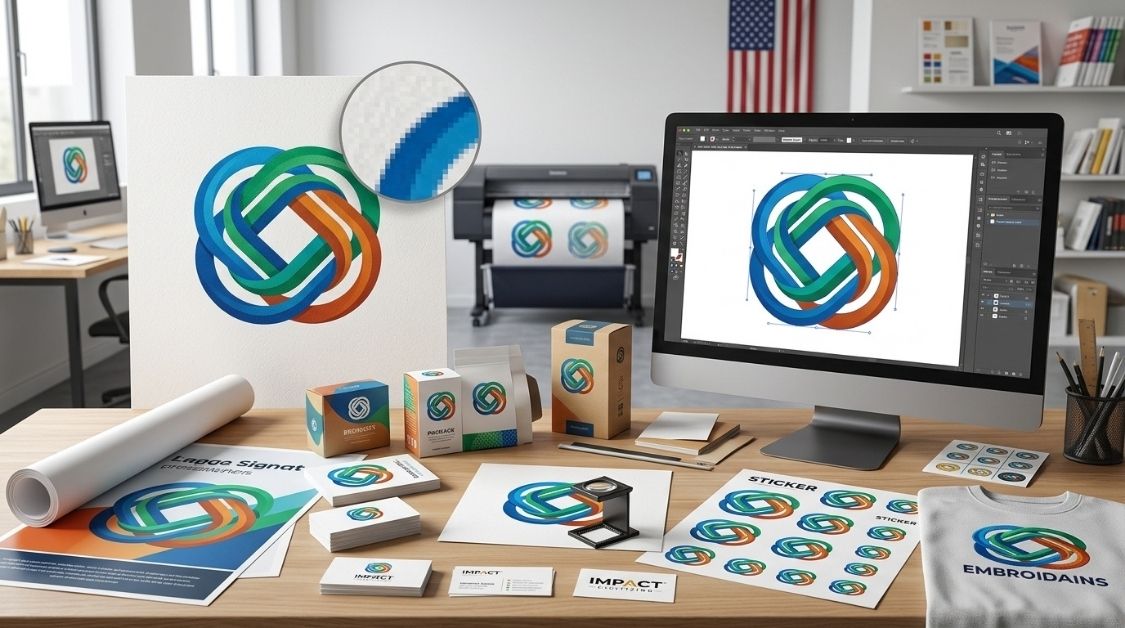
Analyzing print quality PNG vs SVG reveals clear operational boundaries. SVG paths produce perfect edges at any print resolution, with no stair-stepping artifacts. Conversely, the print resolution of PNG depends completely on the initial size and DPI of the image.
- Upscaling flaws: When small-resolution PNGs are scaled up, pixelation makes the final design poor.
- Design strengths: SVGs naturally have an advantage with solid colors and edges, while PNGs win hands down for capturing photographic details.
For flat, geometric logo art, SVG wins on print quality hands down. For rich photographic detail, a high-res PNG remains a reliable choice. Read more about the Benefits of Using Vector Graphics in Design.
Scaling: What Happens When You Resize Each Format
Evaluating a vector vs raster image during a live scaling test demonstrates the structural limits of digital art.
If you take an SVG, you can scale it from a postage stamp to a highway billboard with absolutely zero quality loss.
- The SVG advantage: Infinite scaling makes it a favorite for multi-use branding campaigns.
- The PNG limitation: When you resize a PNG logo to use on a trade show banner, the pixels stretch and create fuzzy, feathered edges.
- Industry standard: Because vector files eliminate scaling issues, professional sign manufacturers, digitizing embroidered patterns, and printing on products always request them first.
File Size & Print-Shop Compatibility
Securing the proper logo printing file format ensures smooth communication with your printer. SVGs are typically lightweight for simple graphics, making them easy to transmit via email.
However, legacy print software and commercial embroidery hardware often require traditional production formats derived from vectors.
- Software processing: Modern print software processes lightweight SVG paths quickly and accurately.
- Production handoffs: Commercial embroidery machines and vinyl cutters often need specialized vector files like EPS, AI, or DST.
- Proofing vs production: While PNGs work wonderfully for quick digital proofs or small personal projects, they are rarely accepted as final master production files.
Check out our guide answering Is a TIFF File a Vector Format?.
When to Use PNG for Printing
For rich photographic detail, a high-res PNG vs SVG for printing debate usually favors the raster option. Use PNG for:
- Photographic Prints: Posters, photo books, or other marketing material including rich gradients, shadows, or photographic effects.
- Complex Multi-Tone Art: Any artwork incorporating complex watercolor effects or other digital paintings that cannot be easily converted into vectors.
- Small-Run Drafts: Quick proofs or tests for smaller desktop printers where there’s no need for resizing.
Export your PNG for printing at an exact printing size with a minimum resolution of 300 DPI. If your artwork is already raster, then PNG would work perfectly for you.
When to Use SVG for Printing
Whenever your workflow demands vector graphics for printing, SVG vs PNG comparisons overwhelmingly point toward the vector format. Choose SVG when working on:
- Brand Logos & Marks: Something that requires crisp lines, fonts, and solid brand colors that must be identical regardless of how the logo will be presented.
- Multi-Sized Assets: Graphics that will end up on anything from a small pen barrel to a huge exhibition back wall, all from one single design file.
- Specialized Production: Includes embroidery digitizing, laser engraving, vinyl cutting, and screen printing, each process that depends heavily on vector paths for guiding physical tools.
SVG is the best default option for any design scaling, stitching, cutting, and engraving.
Convert Your PNG to a Print-Ready SVG →
How to Convert a PNG to a Print-Ready Vector File
When you have a PNG but need a vector image, the process of converting raster to vector has to be handled properly. For more foundational insights, you can review our piece on the Raster to Vector Process Benefits.
- Evaluate the Source: Make sure that you can see the shapes of your PNG by analyzing its quality, resolution, and pixel noise. If you are starting from a different format, you may also reference guides like JPG to Vector Conversion.
- Trace Paths: Use vector software (or automated tracing tools) to map out clean mathematical anchor points and curves over your raster image.
- Manual Cleanup: Refine anchor points, smooth out jagged nodes, and close open vector paths to ensure flawless printing.
- Color Separation & Verification: Organize layers, separate flat colors, and verify print-size accuracy.
At Impact Digitizing, each file that is uploaded into our queue goes through strict testing for clean paths, closed shapes, and color separations. For detailed instructions, read our tutorial pages such as Steps for Creating Vector Art and How to Convert PDF to Vector Image.
Conclusion
The choice between using PNG or SVG for printing lies in your art itself. For scalable graphics such as logos, signage, and promotional materials, there’s nothing better than the infinitely scalable SVG format with its vector paths. For pictures and gradients, PNG is still the way to go. Match the format to your production needs for flawless results every time.
FAQs
Is SVG better than PNG for printing?
Yes, SVG is infinitely scalable and retains crisp edges, making it superior for physical printing.
Should I use PNG or SVG for a logo?
Always use SVG for logos. It ensures sharp lines and perfect scaling across all branding materials.
Can PNG files be printed in high quality?
Yes, but only if they are exported at 300 DPI or higher at the exact print size.
Why is SVG better for large prints?
SVGs use math instead of pixels, allowing them to scale endlessly without ever becoming blurry or pixelated.
Does SVG support transparency?
Yes, SVG inherently supports transparent backgrounds, making it perfect for custom shapes and vinyl cutouts.
Can printers use SVG files directly?
Modern software handles SVGs perfectly, though legacy shop machines might require EPS or PDF conversions.