Every business wants its logo and brand designs to look clear, professional, and flexible. At Impact Digitizing, we concentrate on turning low-quality images into clear, high-quality graphics that can be sized up or down without losing detail. When you print on clothes, signs, or online, utilizing vector files helps keep your brand looking the same and clear everywhere. Our vector conversion services ensure your graphics remain professional and scalable for every application.
What is Vector Art Conversion?
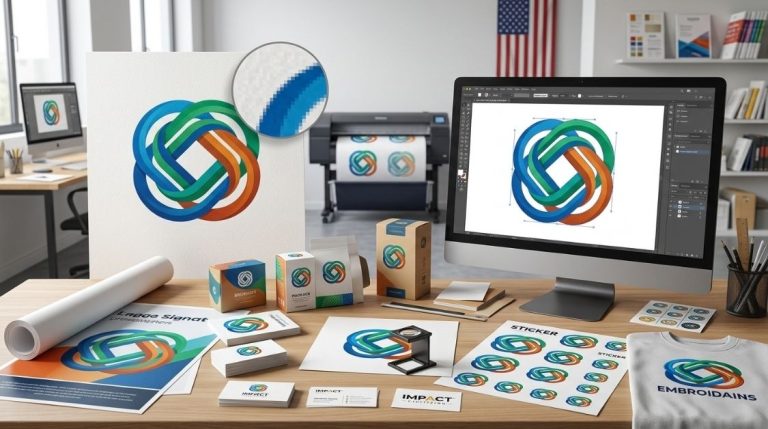
Vector art conversion turns a blurry, low-quality image into a high-quality brand image. Many companies begin with a regular PNG or JPG logo. These look good on a website, but they usually don’t work well when printed or shown on big screens.
A professional image-to-vector service doesn’t just “save the file differently.” It rebuilds the artwork from scratch by turning every line and shape into paths defined by math. This process guarantees:
- Infinite scalability without pixelation.
- Clean edges for printing and embroidery.
- A professional foundation for future branding.
When it comes to brand recognition, it is crucial to turn all images into vectors using vector artwork conversion so that there is the ability to change the design while maintaining the consistency of the brand image.
Raster vs. Vector Files: What’s the Difference?
Knowing the difference is important to understand why your printer keeps asking for “vectorized art. “
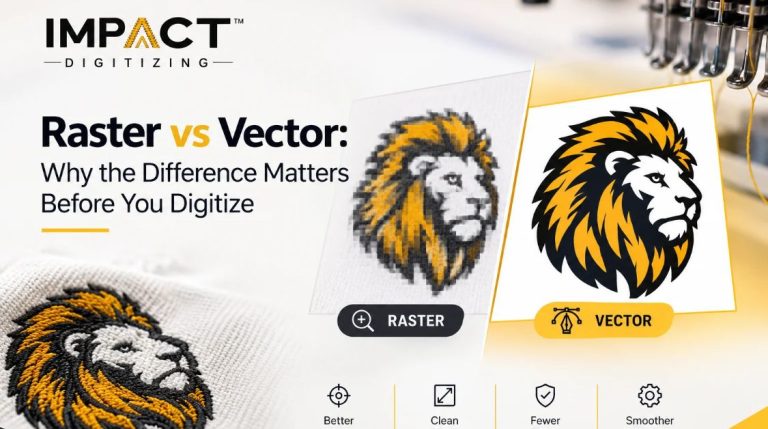
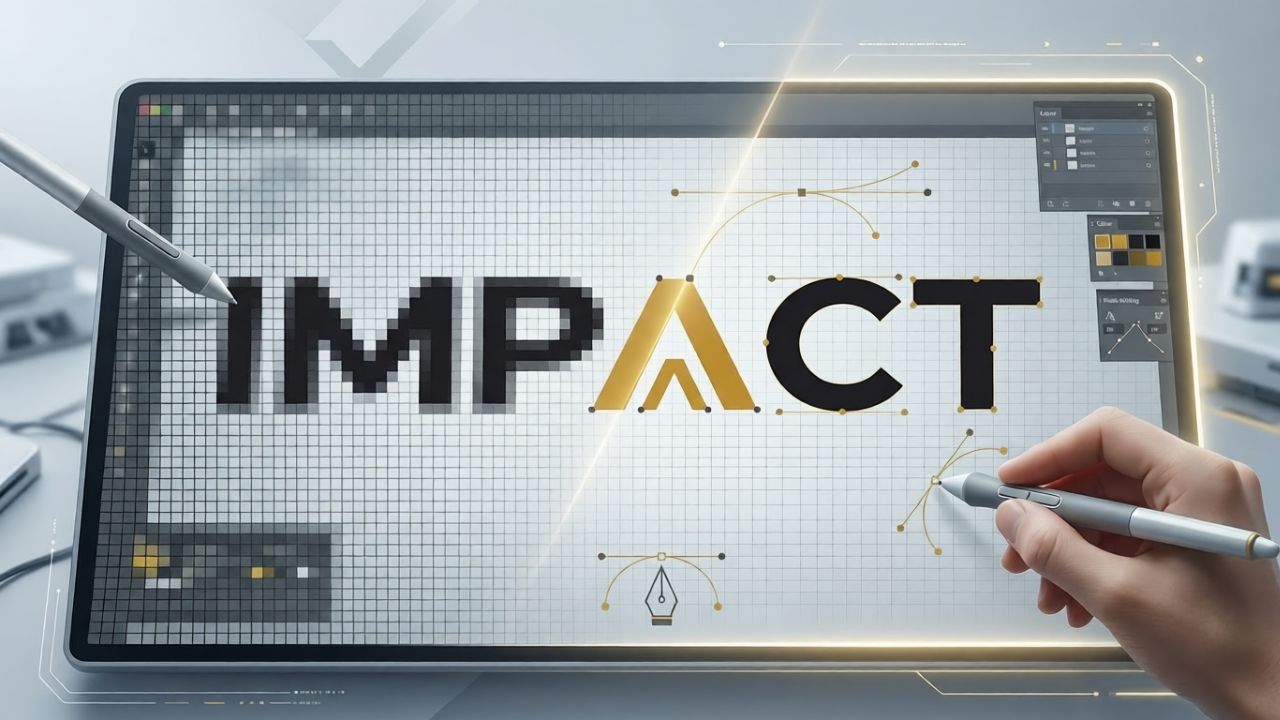
- Raster Images (JPG, PNG Files): These images consist of a matrix of colored dots that, upon enlargement, show jagged or pixelated borders due to a fixed resolution, which means they degrade at a much faster rate if they are scaled up.
- Vector Artwork (AI, EPS, SVG Files): These images are made by mathematical calculations with the assistance of points, lines, and curves. The designer utilizes specific Illustrator tools to draw your logo. Unlike mathematical calculations, math can be scaled down or up without affecting its resolution.
In the vectorization of artwork, we employ Illustrator tools to meticulously trace and reproduce these shapes and lines with mathematical precision.
How the Vector Art Conversion Process Works
At Impact Digitizing, we avoid “auto-trace” software because it often creates messy paths that break during printing or embroidery. Instead, our vector artwork conversion follows a meticulous 5-step manual process:
- Image Assessment: We review the original file’s resolution, complexity, and specific requirements for the end product.
- Manual Tracing: Utilizing Illustrator tools, our artists redraw each shape and line using Pen tools and Bezier curves for perfect accuracy.
- Detail Refinement: We smooth out edges, clean up overlapping paths, and optimize the file for both digital and physical use.
- Colorization: We apply exact Pantone or Hex color matching to ensure your brand colors stay consistent across all media.
- Quality Check: The final vector files are tested at extreme zoom levels to make sure there are no gaps or irregularities.
Who Needs Vector Conversion Services?
You likely need vector conversion services if you fall into any of these categories:
- Apparel Brands: If you are screen printing or embroidering, you need clean lines that a machine can follow.
- Signage & Wrap Shops: Large-format printing requires the infinite scalability of a vector.
- Rebranding Startups: Often, all you have is a low-res screenshot of a logo; we turn that into a professional master file.
- Print Shops: If a client sends a blurry JPG, an image to vector service saves the job from looking unprofessional.
Benefits of Professional Image to Vector Service
| Benefit | Why It Matters |
| Infinite Scalability | No quality loss from a business card to a billboard |
| Editable Source Files | Colors, shapes, and text can be updated instantly by any designer |
| Production Ready | Accepted by all professional printers, embroiderers, and sign-makers |
| Faster Turnaround | Clean files prevent production delays and “art rejection” emails |
| Professional Polish | Eliminates the “amateur” look of blurry or pixelated logos |
Why Choose Impact Digitizing for Vector Artwork Conversion
Many companies rely on AI-assisted tracing that leaves your logo looking “wavy” or distorted. Impact Digitizing provides high-tier vector artwork conversion handled by human eyes and hands.
- Human Precision: We manually redraw every element to ensure the highest quality.
- Full Format Suite: We deliver AI, EPS, SVG, and PDF formats—everything you need for the future.
- Business Speed: We know deadlines and offer rapid turnarounds without cutting corners.
- Seamless Integration: We can bundle your vector conversion services with embroidery digitizing for a one-stop shop.
Conclusion
Investing in vector art conversion with Impact Digitizing makes sure your brand assets remain crisp, scalable, and professional across all media. From apparel to large-format signage, our human-led approach delivers production-ready files that elevate your branding and assist your business in making a lasting impression through reliable image-to-vector service solutions.
FAQs
1. What is vector art conversion?
Converting raster images into scalable, editable vector files for crisp, professional graphics.
2. Are vector images high quality?
Yes, they remain sharp at any size without pixelation.
3. What is the most popular vector graphics file format?
AI, EPS, and SVG are widely used formats.
4. What skills do you need for vector art?
Proficiency in Illustrator, Pen tool, and Bezier curve techniques.
5. How does vector art work?
It uses mathematical paths to define shapes, lines, and colors instead of pixels.