Transforming blurry raster images into sharp mathematical paths is essential for flawless embroidery. Vector tracing converts pixels into clean lines, ensuring your digital design files are prepared for precise stitch mapping. Skipping this vital step leads directly to jagged edges and costly manufacturing errors. Prepping your artwork upfront guarantees stunning, professional, and polished results on every single embroidered garment today.
What Is Vector Tracing?
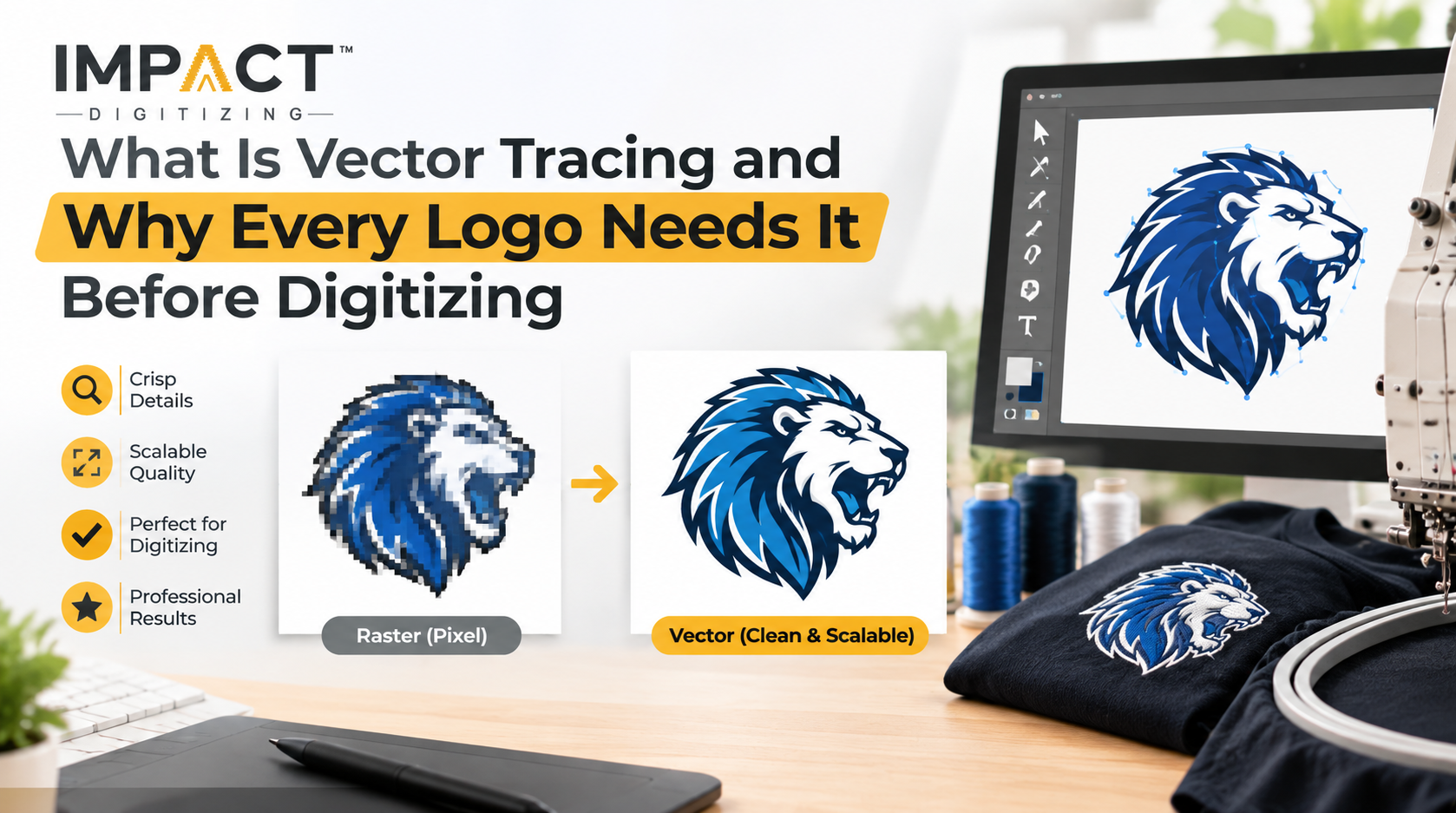
When you have tried zooming in on a photograph or on a typical image found on the web and seen that it breaks up into small fuzzy squares, then you have been looking at a raster graphic. Vector tracing is the process through which pixel graphics are converted into mathematical paths using lines, curves, and nodes.
The concept of logo vector conversion involves going beyond fixed grids of color to a new world of infinite scaling without losing sharpness of detail.
- Auto-Tracing Software: Automated tracing tools rely on algorithms to guess boundaries. They often generate hundreds of messy, overlapping nodes that create a nightmare for production.
- Manual Professional Tracing: Expert artists manually plot precise anchor points over every curve and corner, ensuring absolutely clean lines.
- Standard Deliverable Formats: Once completed, these assets are saved into clean container formats such as AI, EPS, SVG, or fully outlined PDFs.
For a deeper look into how source artwork transforms, check out our guide on what vector art conversion is.
Raster vs Vector: Why the File Format Matters
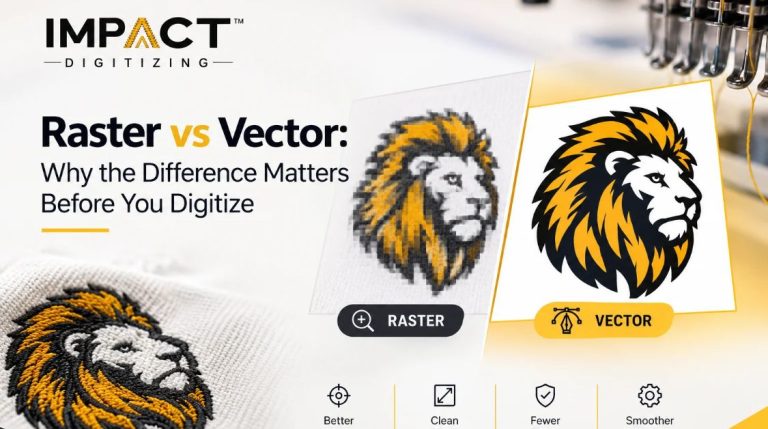
Understanding how underlying graphic structures behave prevents costly production errors. Moving a raster to a vector logo changes how a design handles scaling and color depth:
| Format | Made Of | Scales Without Blur | Editable Colors/Shapes | Good for Digitizing? |
| Raster (JPG/PNG) | Pixels | No | No | No — needs tracing first |
| Vector (AI/EPS/SVG) | Paths & curves | Yes | Yes | Yes — ready for stitch mapping |
Raster logos pixelate and blur when resized a massive roadblock when scaling a logo down for a structured cap or blowing it up across a jacket back. Vector files stay razor-sharp at any size, providing clarity for stitch mapping. To explore formatting strategies further, read our guide on converting raster to vector.
Why Logos Need Vector Format Before Digitizing
Embroidery machines do not read images; they follow programmed coordinates. Knowing why logos need vector format clarifies why skipping this stage leads to messy embroidery.
- Clean Mathematical Paths: Quality embroidery logo digitizing relies on crisp vector outlines. Fuzzy raster lines cause computers to have to determine boundaries, resulting in a poorly defined path for stitches.
- Exact Color Integrity: Vector files contain accurate brand colors through exact Pantone or HEX codes that enable smooth thread color matching.
- Legibility of Fine Details: Small texts and detailed design features can only be legible when the original design is clean and scalable.
To dive deeper into brand preservation, read why a vector logo matters for branding, or if you need expert assistance right away, explore our professional Logo Design (Vector Art) service.
Vector Tracing for Logos: How the Process Works
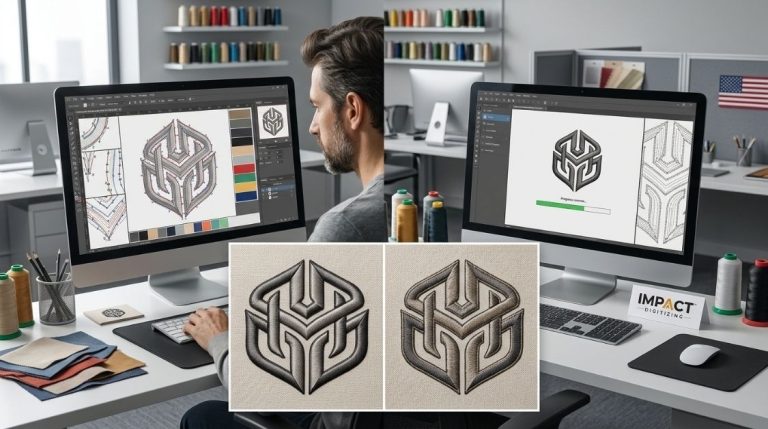
Creating a perfect embroidery file begins by performing careful prep work. The process of vector tracing for logos requires going through a detailed, multi-stage process:
- Source File Review: The artist checks the original resolution, transparency layers, and overall color count of the client’s submitted graphic.
- Manual Path Tracing: Technicians manually plot vector lines around every single shape, letterform, and subtle graphic detail, avoiding automated errors.
- Color Separation & Cleanup: Colors are arranged on separate layers to ensure total accuracy of printing and stitching down the road.
- Final Export: The artwork after cleaning will be saved in AI, EPS, or SVG format, hence making it easy for transfer to the production department immediately.
Manually creating a logo trace is better than auto-tracing because of the precision required for complicated logos containing small texts, gradient colors, and overlapping shapes. When you vectorize a logo for embroidery, you establish a reliable foundation for production. To see an example of the preparation of a file for embroidery, check out our breakdown on JPG to vector conversion.
Vector Tracing Benefits for Embroidery Quality
Investing time into clean vector preparation transforms the entire embroidery workflow. Capitalizing on core vector tracing benefits brings immediate advantages to your production line:
- Cleaner Stitch Outlines: Gets rid of rough or blocky edges, making every garment have smooth, professional-looking borders.
- Accurate Color Matching: Separate vector paths help workers match thread supplies to the exact specifications of the brand.
- Infinite Reusability: The same master vector file can be modified to fit on a left-chest polo shirt, sleeve detail, or large back on a jacket without requiring re-tracing.
- Faster Turnaround Times: Turnaround is improved since digitizers do not have to clean up pixels manually but proceed directly to stitching.
Find out how to improve your files by checking out our guide on how to digitize an embroidery logo.
What Happens If You Skip Vector Tracing?
Ignoring this prep step introduces severe complications into the production cycle. When a shop tries to digitize a raw raster image, the digitizer must manually guess blurry edges, which dramatically increases turnaround time.
- Structural Flaws: Prepare for increased probability of gaps between stitches, deformed lettering, and undesired color bleed in the sewn artwork.
- Escalating Costs: Correcting an improperly digitized design after sewing a bad test is always more expensive than properly preparing the artwork beforehand.
The Bottom Line: Prepping your file with professional tracing upfront saves money, prevents production delays, and guarantees a stunning retail-ready finish.
Professional Logo Digitizing: Where Vector Tracing Fits In
At Impact Digitizing, an established Embroidery Digitizing Company, meticulous vector preparation is integrated directly into our workflow as a standard quality check before any design enters the production queue. Engaging in professional logo digitizing means we provide a bundled service package: send us a plain raster image, and we will give you back a flawless vector image and a perfect embroidery design ready for stitching. This process works perfectly regardless of whether your product is a structured cap, performance polo, jacket, or even a twill patch.
Explore our home hub or check out our professional Logo Digitizing Service.
Conclusion
At Impact Digitizing, we turn original designs into clothes that are ready to sell. By carefully tracing designs by hand and turning them into digital embroidery files, we avoid mistakes and save money in production. Put effort into getting your files ready today to ensure perfect stitching, accurate colors, and professional results for every piece of garment.
FAQs
What is vector tracing?
Vector tracing is converting pixel-based raster graphics into scalable mathematical paths composed of lines, curves, and nodes.
Why does a logo need to be in vector format before digitizing?
It gives embroidery machines clean coordinate blueprints, preventing jagged edges, color bleeding, and distorted stitch paths.
Can any logo be vector traced, even a low-quality one?
Yes, expert manual tracing can successfully rebuild even blurry or low-resolution raster images into crisp vector paths.
What software is used for vector tracing?
Industry standards include Adobe Illustrator and CorelDRAW, alongside free alternative software like Inkscape.
Is vector tracing the same thing as embroidery digitizing?
No, vector tracing turns images into clean paths, whereas digitizing translates those paths into machine-readable stitch commands.
How much does logo vectorization typically cost?
Costs vary based on complexity, but many professional providers bundle or offer vector conversion starting at nominal rates.