Entering the world of custom embroidery can be overwhelming when the heavy fonts or dense letters make your designs look like blobs in small hoops. Monogram digitizing skills depend on knowing how the threads react on the fabric. Whether you are customizing robes, bath towels, or any other gift item, gaining expertise in organizing initials in well-balanced custom monograms will elevate your skills to another level.
What Is Monogram Digitizing?
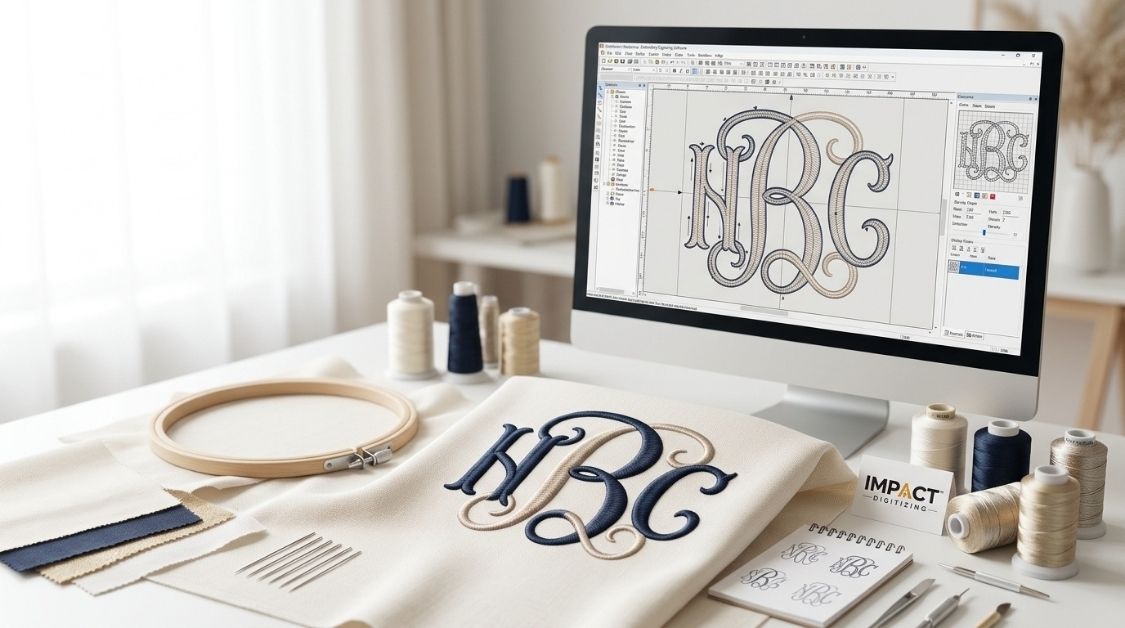
Monogram digitizing involves turning the letters or initials into a readable digital file such as DST, PES, and EXP. Unlike complicated picture graphics, a monogram does not need anything but clean and precise letters and their placement within the proper space.
Why do monograms demand a dedicated strategy? Because text features delicate lines and sharp corners, small lettering runs a high risk of thread breaks and fabric puckering if the underlying code isn’t precise. To build a strong foundation, check out our guide on What Is Embroidery Digitizing?.
Monogram Digitizing vs Regular Logo Digitizing
When diving into monogram logo digitizing, the rules shift quite a bit compared to standard commercial vector logos. While a standard logo focuses heavily on color blocking and large fills, monogram work prioritizes absolute legibility at small scales.
- Column Widths: Letter stems must stay above roughly 1.5mm to prevent thread shredding or needle jams.
- Underlay Support: Because letters are thin, standard edge-walk or zigzag underlay is essential to stabilize the fabric and prevent sinking.
To understand how foundational stitch layers protect your lettering, read our breakdown on What Is Underlay in Embroidery Digitizing?.
Tools & Software You Need to Digitize a Monogram
Making clear monogram embroidery files begins with the proper digital setup. Well-known software programs like Wilcom, Hatch, and Embrilliance help make things easier by including special tools that automatically arrange and space monograms.
- Software & Fonts: Most programs come with ready-made sets of letters, so you don’t have to input each one by hand.
- Hoop Selection: A standard 4″x4″ hoop handles single or 3-letter monograms easily, while wider layouts require bigger framing.
- Stabilizer Selection: Use cut-away stabilizer for stretchy garments and tear-away for stable, woven items.
Choosing the Right Embroidery Monogram Fonts
Selecting the correct embroidery monogram fonts dictates whether your finished piece looks professional or cluttered.
| Font Style | Best Hoop Size | Best For | Readability at Small Size |
| Block / Sans | 4″x4″ | Towels, bags | High |
| Script | 5″x7″ | Formal gifts, linens | Medium |
| Circle Monogram | 4″x4″ | 3-initial classic style | High |
| Diamond Monogram | 4″x4″ | Modern/decorative pieces | Medium |
| Old English | 5″x7″ | Varsity/heritage branding | Low (needs larger scale) |
To learn more about selecting the best typefaces for different kinds of fabric, read our expert’s guide on How to Choose the Best Font for Your Embroidery Project.
Step-by-Step: How to Digitize a Monogram
When you sit down to digitize monogram files for a client or personal project, follow a consistent workflow:
- Pick Your Layout: Select your 2- to 3-letter monogram and choose your preferred style of layout, including stacked, circular, or diagonal.
- Choose Your Font: Select your preferred font script, block, or decorative from the font styles in your program.
- Letter Spacing: Tune your kerning to ensure that the strokes of your individual letters lie comfortably near each other but not on top of each other.
- Underlay: Use edge-walk or zigzag underlay to provide the necessary attachment of stitches to the fabric base.
- Stitch Density: Ensure a good balance of stitches to prevent excess stitching, which will result in a stiff fabric with puckers.
- Compensate for Push and Pull: Account for fabric movement by adding proper pull compensation settings. For a deeper dive, read Push and Pull Compensation in Embroidery Digitizing.
- Test Stitch-Out: Always run a sample stitch-out on a scrap piece of fabric using the same stabilizer and thread weight before running your final product.
Monogram Styles: Standard Layouts vs Custom Monogram Designs
Monogram designs have been around for hundreds of years, but contemporary needlework makes way for new design options.
- Conventional 3-Letter Design: Features the first name letter on the left side, the larger last name letter in the center, and the middle name letter on the right.
- Single-Letter Monograms: Large, dramatic embroidery initials that create an instant focal point on bath towels or throw pillows.
- Custom Layouts: Integrating embroidery lettering with decorative elements like floral wreaths, geometric shapes, and banners.
Beginners should always practice traditional 3-letter layouts before exploring advanced monogram embroidery compositions.
Common Mistakes Beginners Make When They Digitize Monogram Files
Every embroiderer encounters hurdles when learning monogram embroidery digitizing. Avoiding these frequent missteps saves time, thread, and fabric:
- Scaling letters down too far without reducing stitch counts, which leads to heavy thread build-up and needle breaks.
- Forgetting to include proper underlay on stretchy garments, causing the letters to skew out of shape.
- Using standard graphic logo fonts instead of optimized embroidery fonts built specifically for stitch paths.
- Overlapping satin columns too tightly in circular frames, creating hard knots in the fabric center.
- Skipping test stitch-outs on bulk orders.
For a broader look at how professional software handles complete artwork files, visit our guide on How to Digitize an Embroidery Logo.
DIY vs Professional: Where to Get Monogram Embroidery Files
Deciding whether to build files yourself or outsource them depends entirely on your current goals, available time, and equipment setup.
- The DIY Route: A great way for hobbyists and crafters who have digitizing software, love learning and tinkering with technology, and have the time to stitch-test multiple versions of their file.
- The Professional Route: A great choice for embroidery business owners, boutique owners, and apparel lines looking for quick turnaround times and no thread breaks.
At Impact Digitizing, we promise fast service and support to help your projects go from design to fabric without any issues.
Conclusion
Achieving proficiency in monogram digitizing requires time, effort, and correct technical settings. With a focus on spacing, underlay, and stitch density, it is possible to turn ordinary initials into perfect gifts using embroidery. It is necessary to begin with traditional arrangements and to be ready for the test period.
FAQs
What is monogram digitizing?
It is the process of converting initials into machine-readable files like DST or PES for embroidery execution.
How do you digitize a monogram?
Choose a layout, select a font, adjust letter spacing, apply underlay, set stitch density, and test stitch.
Which fonts are best for monogram embroidery?
Block and sans-serif fonts offer the highest readability at small scales, while scripts fit formal projects.
What stitch is best for monograms?
Satin stitch is ideal for clean, smooth letter stems and columns.
Can beginners create monogram embroidery?
Yes, by using built-in software wizards, proper stabilizers, and master-tested layout settings.
How much does monogram digitizing cost?
Costs vary by stitch count or software choice, ranging from simple automated presets to custom commercial rates.
Which embroidery file format is best for monograms?
Common universal formats include DST, PES, and EXP, depending on your machine brand.
Can I digitize initials for embroidery?
Yes, initials are fully customizable using dedicated editing software or professional vector tools.