Choosing the right embroidery software is vital to your business operations. Regardless of whether you are a lone enthusiast or own a massive manufacturing plant, the software that you select will determine the speed of production and the quality of the stitching done. This guide highlights the three leading embroidery software developers, including a Wilcom vs Hatch embroidery software comparison, to help you choose.
Why Choosing the Right Digitizing Software Matters
Embroidery digitizing goes beyond design creation. It involves many other processes, such as stitch type, material usage, and even the production of the design itself by the machine. A badly scanned file can cause thread breaks, messed-up logos, and rejections of client orders.
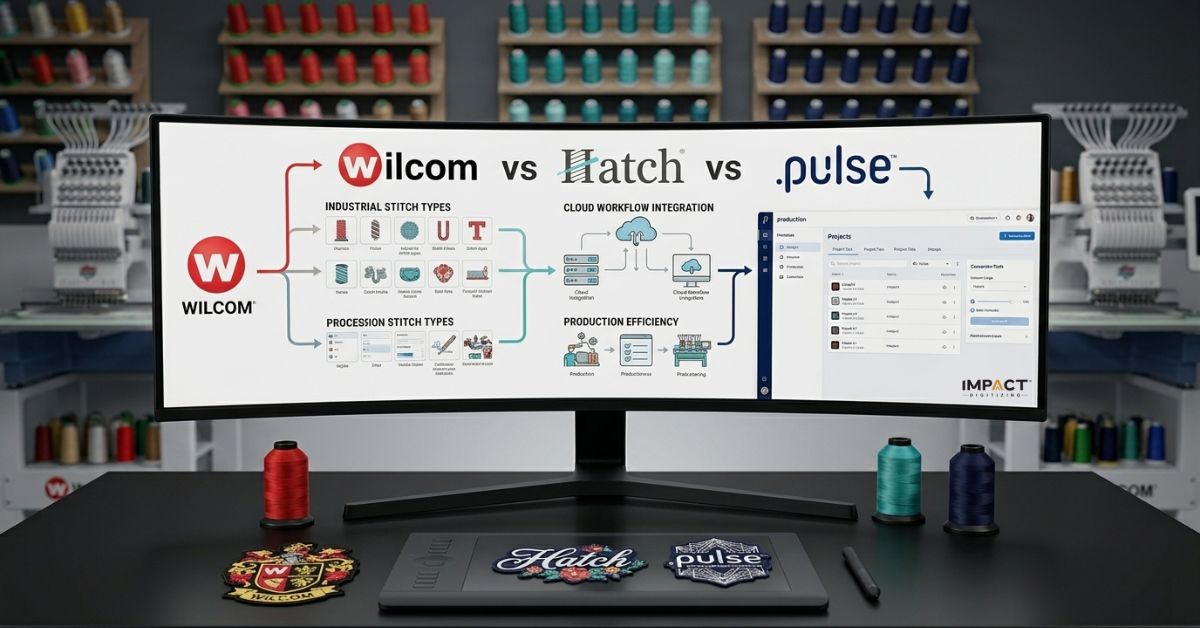
Wilcom reviews often highlight its industry-level control, while Hatch focuses on ease of use. Pulse insights usually center on industrial production efficiency. Each platform handles digitizing differently:
- Wilcom: Focuses on deep control and professional accuracy.
- Hatch: Simplifies the process for faster learning.
- Pulse: Integrates digitizing with production management systems.
For most decorators, the challenge is matching the software to their actual workload. These observations are consistent across every detailed Hatch embroidery software review, Wilcom embroidery studio review, and Pulse digitizing software review available in the market.
Quick Comparison: Wilcom vs Hatch vs Pulse at a Glance
| Feature | Wilcom EmbroideryStudio | Hatch Embroidery | Pulse Digitizing (DG16) |
| Best For | Professional Studios | Beginners / SMBs | Industrial Production |
| Pricing Model | Subscription / One-time | One-time / Tiers | Quote-based |
| Learning Curve | Steep (Technical) | Gentle (Intuitive) | Moderate–Steep |
| Key Advantage | Unmatched Stitch Control | Ease of Use | Factory Automation |
| Vector Support | Full CorelDRAW Integration | Basic to Advanced | High-End |
Wilcom Embroidery Studio: Best for Professional Studios
If you’re searching for a Wilcom embroidery studio review, then the verdict in 2026 will not change; it is still the undisputed heavyweight champion. Wilcom is built for digitizers who need to control every single needle penetration.
- Advanced Control: With the new “Multi-Blend” tool and “Continue Digitizing” features, Wilcom allows for artistic gradients that other software simply can’t replicate.
- File Compatibility: It handles everything from .dst to .exp with perfect integrity.
- The Workflow: Its seamless integration with CorelDRAW means you can convert complex vectors to stitches with minimal cleanup.
Verdict: Best for experienced digitizers and high-end professional studios who need total technical freedom. Any professional-level Wilcom embroidery studio review confirms control; compare in Wilcom vs. Inkstitch comparison.
Hatch Embroidery Software: Best for Beginners & Small Businesses
Most modern Hatch embroidery software reviews highlight one thing: the “Wilcom engine” in a “user-friendly body.” Hatch is essentially the “prosumer” version of Wilcom.
- Onboarding: It features guided workflows that help you digitize a logo without needing a degree in textile engineering.
- Auto-Digitizing: While no auto-tool is perfect, Hatch’s 2026 updates provide the cleanest “Instant-Stitch” results for simple shapes and lettering.
- Flexibility: You begin with simple lettering and eventually progress to “Digitizer” levels as your business expands.
Verdict: Excellent choice for home embroiderers, crafters, and small businesses seeking professional outcomes without spending a thousand hours learning. Every reliable Hatch embroidery software review highlights its beginner-friendly learning curve; see our list of the top free embroidery digitizing software.
Pulse Digitizing Software: Best for Industrial Production
A Pulse digitizing software review often focuses on its connection to Tajima machines. Pulse (specifically DG16) is designed for the “factory of the future.”
- Automation: Pulse excels at “Variable Data,” allowing you to automate name drops and team jerseys directly from a spreadsheet.
- Cloud Integration: PulseCloud allows shop managers to monitor machine productivity and design status from a mobile device.
- Efficiency: It is built to reduce machine downtime through optimized pathing that prioritizes speed over “artistic” stitch flourishes.
Verdict: Best for factories and industrial operations that prioritize production volume and machine networking. A detailed Pulse digitizing software review will often highlight these automation capabilities as its biggest strength.
Pricing Comparison: Which Software Gives the Best Value?
These cost considerations are frequently discussed in any in-depth Hatch embroidery software review, Wilcom embroidery studio review, and Pulse digitizing software review.
| Software | Entry Level | Full Professional Version | Pricing Model |
| Wilcom | ~$995 (Decorating) | $2,000 – $4,500+ | One-time / Annual |
| Hatch | ~$149 (Organizer) | ~$1,099 (Digitizer) | One-time / Flex Pay |
| Pulse | Contact Dealer | $3,000+ (Maestro) | Quote-based |
Beyond the sticker price, you must factor in Annual Maintenance Agreements (AMA) and the cost of training. If your team takes 6 months to learn Wilcom, that is 6 months of slow production.
Do You Even Need Digitizing Software?
By 2026, most businesses will stop purchasing software completely. Why?
- Cost: Paying $3,000 for licensing fees and $2,000 for computer equipment means spending $5,000 initially.
- Expertise: It requires many years of practice to be able to perform pathing on piqué and performance polyester.
- Speed: Impact Digitizing delivers professional, machine-ready files in 4–5 hours.
At $8 per design, you could order 625 professional designs for the price of one Wilcom license. For most apparel decorators, outsourcing is the “secret weapon” that keeps overhead low.
Conclusion
Depending on the size at which you are going to operate, you can choose to use Wilcom, Hatch, or Pulse. Hatch is easy to comprehend and operate, Wilcom is highly accurate, and Pulse is recommended when you have a busy industry setting. But outsourcing will be cheaper for people who want to earn maximum profits without gaining any new skills.
FAQs
1. Is Hatch made by Wilcom?
Yes, Hatch is developed by Wilcom, using the same professional-grade stitching engine in a simplified interface.
2. What software do professional digitizers use?
Most high-end professionals use Wilcom EmbroideryStudio or Pulse Maestro for maximum technical and artistic control.
3. Is Wilcom worth the price for a beginner?
Not usually; beginners should stick with Hatch because of its simplicity and affordability
4. Does Pulse have a free trial?
Pulse typically requires a demo through a Tajima dealer, though PulseCloud offers limited free access.
5. Can I use this software on a Mac?
None run natively on macOS; you must use Boot Camp or Parallels to run them on Windows.
6. Which software produces the best output for caps?
Wilcom and Pulse offer the best specialized tools for center-out pathing required for high-quality cap embroidery.
7. What file formats can each software export?
All three export major formats, including DST, PES, EXP, and JEF, ensuring compatibility with most machines.
8. Is auto-digitizing in these programs good enough for commercial use?
While improved in 2026, auto-digitizing still requires manual “cleanup” to ensure production-grade quality and efficiency.