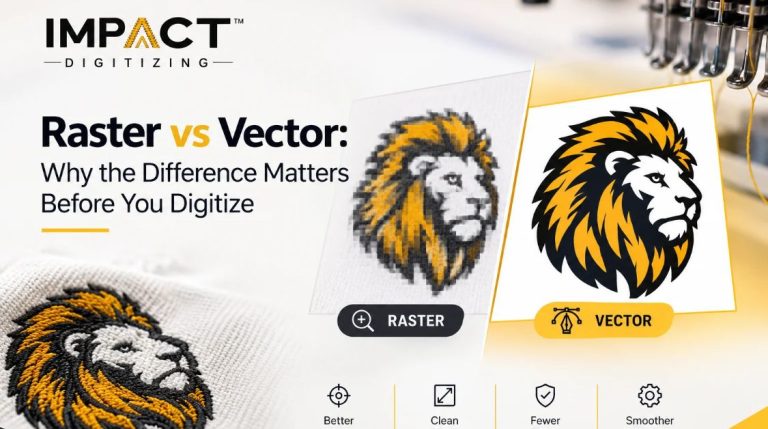
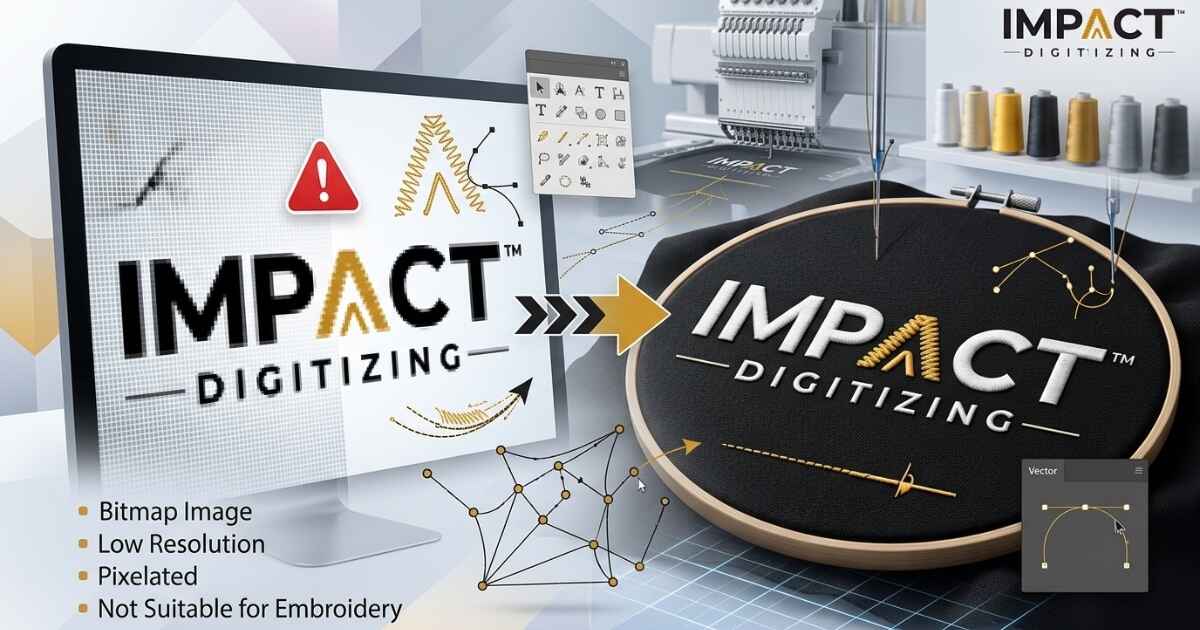
At Impact Digitizing, we see a common hurdle in the production process: the reliance on bitmap files for embroidery digitizing. Although these types of images are widely used for digital designs, they do not contain the necessary structure to let the embroidery machine know where to position the needle. When you input a bitmap into a machine, you basically ask it to analyze a “mass” of color instead of a vector path, and that is the reason your result turns out to be a mess.
Understanding Bitmap Files Before You Digitize Them
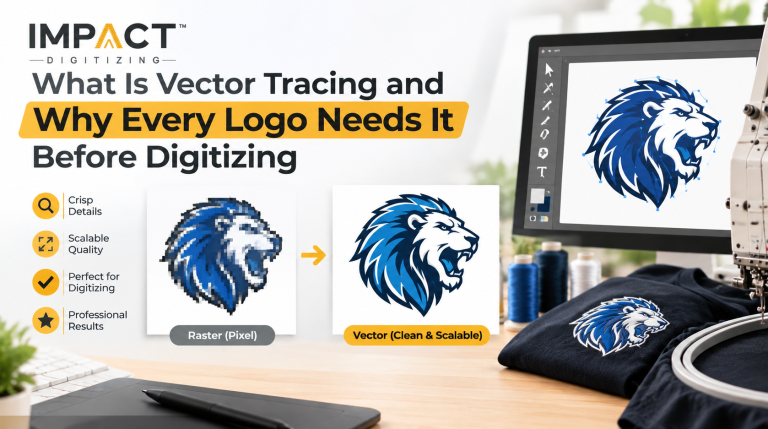
To understand why bitmaps struggle, consider them as a digital mosaic built from thousands of tiny, fixed-size pixels.
- Pixels: The building blocks of each bitmap. Each tiny square holds a specific color value.
- Photoshop: The standard tool for editing these images. It manipulates pixels rather than shapes.
- Common Use: Great for complex photos with millions of colors, not for crisp line art or logos.
- Behavior: Every phone photo you have is a bitmap. It is how digital cameras record light and shadow.
If you are still confused about how these images behave compared to clean line art, check out our Convert Raster to Vector Guide to see the difference in action.
Why Vector Files Work Better for Embroidery
A vector file is built from math points, curves, and paths, usually created in Adobe Illustrator. Unlike a bitmap, it doesn’t use pixels. When you scale a vector up to a billboard, the edges stay perfectly sharp. Scale a bitmap up, and it turns to mush. Digitizing software reads shapes and outlines, not pixel color blobs, so it needs the vector logic to build proper stitch paths. Bitmap vs vector for embroidery comes down to structure.
| Feature | Bitmap | Vector |
| Composition | Pixels (grid) | Paths (math) |
| Scaling | Blurs/Pixelates | Always sharp |
| Digitizing | Needs redraw | Ready for paths |
The Raster Embroidery Problem: Why Accuracy Matters
When we refer to the “raster image embroidery problem,” we are talking about the loss of clarity that happens the moment a design is saved as a JPG, PNG, or BMP.
- Manual Tracing: Digitizers have to “guess” what curves should go where because the pixels are blurred.
- Quality Drop: Low-quality images always result in a low-quality embroidery design.
- Delays: The raster image embroidery problem is the top reason quotes get stalled or rejected.
- Resolution: Higher resolution helps the digitizer see better, but it is still a workaround, not a professional fix.
What Happens When You Skip File Preparation?
Digitizing a BMP file for embroidery without proper image cleanup often leads to rough stitch outlines, missing details, and lower-quality results. Since BMP is a raster format, the digitizing software has to interpret pixel-based information, which can result in inaccurate stitch paths. The final DST or PES file your embroidery machine reads will reflect those limitations.
- Rough Edges: Smooth curves often appear stair-stepped because a BMP file used for embroidery relies on pixel-based images rather than scalable vector paths.
- Blobbing: Text can get blurred due to the inability of the software to differentiate the text from the background.
- Inheritance: Machine files carry over the source file’s limitations, meaning the embroidery will never look better than the input file.
- Higher Costs: A low-quality BMP file prepared for embroidery usually requires additional editing and manual digitizing, increasing production time and overall costs. Addressing the raster image embroidery problem early is the best way to save time and money.
How Professionals Prepare a Bitmap for Embroidery
A successful bitmap-to-embroidery file conversion follows a structured workflow rather than a direct one-click process. Vectorization is the key link between bitmap and embroidery that people try to avoid when they are in a hurry, but that’s the link that dictates the outcome of the process.
- Step 1: Begin with the original bitmap file supplied by the customer for embroidery file conversion.
- Step 2: Trace the shapes manually to produce the vector file that is based on calculations.
- Step 3: Transform this vector into the DST/PES file.
- Step 4: Digital sew-out to test the sharpness of the paths.
Skipping the vectorization stage and converting a bitmap file into an embroidery format often results in jagged edges, distorted details, and poor stitch quality. See how we handle vectorization before digitizing →
How Vector Files Improve Final Stitch Quality
Understanding why vector files are better than bitmaps for stitching comes down to precision. Clean, mathematical paths translate directly into clean, consistent stitch points that your machine can follow without error.
- Precision: Math-based paths equal clean machine commands, ensuring the needle hits exactly where it should.
- Scaling: Resizing a logo for a cap, a left chest, or a full jacket back becomes painless with a vector.
- Noise Removal: Vectorization strips out unwanted background noise, such as gradients or shadows that a stitch machine cannot reproduce.
- Stitching: Why vector files are better than bitmaps for stitching comes down to the software’s ability to understand geometry instead of color.
- Reliability: Having a vector means having a template that can be used later for screen printing, signs, or embroidery work.
When you understand why vector files outperform bitmaps for stitching, it becomes clear that clean vector paths help the software generate more accurate, consistent embroidery results.
Quick Comparison at a Glance
| Type | Formats | Made Of | Best For |
| Bitmap | BMP, JPG, PNG, GIF | Pixels | Photos |
| Vector | AI, EPS, PDF, SVG | Paths | Logos/Text |
Need more clarity on formats? Read: Is a TIFF File a Vector Format?
What To Do If All You Have Is a Bitmap
Don’t panic. Send it anyway with the highest resolution version available. Mention if there’s an “official” version somewhere, like an old business card, a signage file from your sign maker, or a source file from your website. Remember, a bitmap is just a starting point for us.
- Highest Quality: Always send the original, uncompressed file rather than a screenshot.
- Sources: Check with your brand designer; they likely have the original vector files saved somewhere.
- In-house: We handle the vectorization before starting, so you don’t have to be an expert.
Conclusion
Bitmaps can give a fast visual guide, but they don’t have the clear details needed for good-quality embroidery. Turning your blurry images into clear vector files helps you get clean lines, better details, and makes it easier to produce. If you are struggling with your source files, let the expert team at Impact Digitizing handle the vectorization and embroidery digitizing for you. Don’t let file restrictions affect your design; begin with a vector for the best outcome when considering bitmap vs vector for embroidery.
FAQs
Can you embroider directly from a bitmap image?
No, it must be digitized into a machine-readable stitch file, usually requiring vectorization first.
What’s the difference between bitmap and vector for embroidery?
Bitmaps use pixels (dots); vectors use math (paths). Vectors provide the clear outlines needed for precise stitching.
Why does my embroidery design look pixelated?
Usually, the source file was a low-quality bitmap, causing the digitizer to struggle with fuzzy edges.
What file format should I send for digitizing?
Vector formats like AI, EPS, SVG, or PDF are ideal; otherwise, provide the highest-resolution bitmap available.
Is JPG a bitmap file?
Yes, JPG is a common raster/bitmap format composed of pixels, not mathematical paths.