Choosing the right design tool shouldn’t be so complicated. If you’re getting a file ready for a local store or trying out a new idea, using the wrong software can cause blurry prints or expensive changes to the file. Free online t-shirt design tools offer you neat, professional designs while making high-resolution images possible without having to pay for monthly subscriptions. At Impact Digitizing, we know that starting with the right file saves you a massive headache down the road.
Why the Right Design Tool Saves You Time and Money
Choosing the wrong best software for t-shirt design will result in wasted time converting or editing your work so that it is acceptable for the print shop. Many free software options have become much better; you no longer require a subscription.
Think about the following factors when selecting a program for t-shirt designs:
- File Compatibility: Choosing the wrong file type will result in issues with printing and embroidery.
- Ease of Use: The best program for shirt design maker will have features that help you create high-quality designs without a lot of training.
- Vector Requirements: Since many projects require vector artwork, creating some graphic design software for t-shirts might be better than others.
Quick Comparison
Finding the right t-shirt design program free to use saves you from the headache of incompatible file types.
| Tool | Best For | Free Plan | Export Quality | Embroidery-Friendly |
| Canva | Beginners | Yes | Good (PNG/PDF) | Moderate |
| Adobe Express | Clean designs | Yes | High | Yes (SVG) |
| Custom Ink | Ordering shirts | Yes | Print-ready | No |
| Placeit | Mockups | Limited | High | No |
| Vexels | POD sellers | Limited | High (SVG/PDF) | Yes |
Note: Free tier limits change often, so double-check current exports before finalizing your design.
Top Free T-Shirt Design Programs
Canva: Best for Beginners
There is a strong reason why Canva is considered the most famous shirt design maker. This program for t-shirt design is very friendly in use, and one can start using it right away regardless of their experience in graphic design. There are thousands of themes from which to pick, and changing fonts and colors is quite simple.
- Pros: Plenty of templates; they are rather simple to use by non-designers.
- Cons: SVG export is locked behind a paid plan.
- Best Used For: Quick designs for screen printing where a PNG is sufficient.
It is a fantastic graphic design software for t-shirts if you need something that looks sharp and you need it done fast.
Need your Canva design turned into embroidery? Get a Free Quote
Adobe Express: Best for Clean, Professional Designs
For those who want the best software for t-shirt design, which will be more professional than Canva, I would recommend Adobe Express. The free version of the software allows one to use a good collection of templates, and the editor is extremely clean.
- Pros: Better control over fonts and brand elements.
- Upside: Exports SVG files on the free plan.
- Best Used For: Designs that need to be ready for embroidery.
Because it supports SVG exports, Adobe Express works well as a program for t-shirt design when embroidery-ready files are required. Many users also consider it a reliable graphic design software for t-shirts because of its cleaner output quality.
Custom Ink: Best if You’re Ordering Shirts Too
Custom Ink is unique because you design and order in one place. You don’t have to worry about downloading files or choosing the right resolution because their system handles it.
- Pros: Built-in “print zone” safety grid so designs aren’t cut off.
- Cons: Limited to ordering through their platform.
- Best Used For: Team jerseys or community event shirts.
For users looking for a t-shirt design program free to use alongside direct ordering, Custom Ink offers a convenient solution. It is also a practical shirt design maker for one-time apparel projects.
Placeit: Best for Mockups
Placeit has the best collection of mockups for shirt design makers. If you want to see how your design looks on a real person or a shirt laid flat before printing a lot of them, this is the right place.
- Pros: A huge collection of real-life models.
- Cons: Most high-quality files require a fee or subscription.
- Best Used For: Checking how a design looks on a shirt or presenting to clients.
While it is not the best software for t-shirt design itself, it is one of the best tools for showcasing your ideas. Don’t rely on it as your primary best shirt design software. Instead, create your final artwork using another design platform.
Vexels: Best for Print-on-Demand Sellers
Vexels provides 70,000+ images and templates available under commercial licensing. It caters explicitly to users who intend to sell products using websites such as Merch by Amazon or Redbubble.
- Pros: Massive library of commercially licensed graphics.
- Cons: Paid subscription required for full selling rights.
- Best Used For: Serious side businesses and store owners.
For entrepreneurs, Vexels can serve as both a graphic design software for t-shirts and a resource library. It is frequently said that it is the best software for t-shirt design for those who want to begin an apparel company.
Embroidery vs. Print: Which Method Suits Your Design?
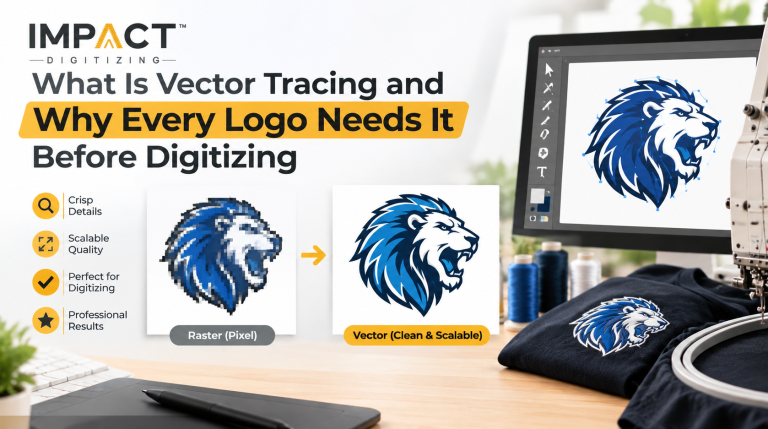
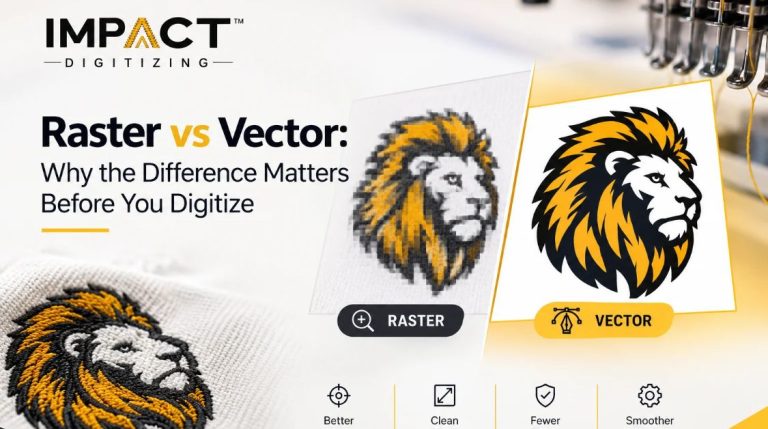
Online t-shirt design tools are designed more for printing shirts instead of embroidering them. This is a usual mistake. Embroidery uses vector formats such as SVG. A raster format such as PNG may not be sufficient. Knowing the difference can help you pick up the best shirt design software.
- Printing: It can represent gradient colors, shadows, and pictures very nicely.
- Embroidery: It works best when it is simple with fewer colors and strong lines.
- Vector Files: Important for embroidery shops to prevent extra costs for re-digitizing.
If you aren’t sure which path you’re taking, read our guide on Embroidery vs. Printing — Which Is Right for Your Apparel?
How to Pick the Right Program for T-Shirt Design
To pick the best shirt design software for your project, first evaluate what your goals are.
- Local Print Shop: Canva or Adobe Express would be good choices.
- Embroidery: Use Adobe Express or Vexels for vector files.
- POD Store: Vexels is the top choice for commercial assets.
- Team Shirts: Custom Ink keeps the design and ordering in one spot.
- Client Presentations: Create your artwork and place your designs using Placeit.
Do not make things complicated; most people will need only one tool. Canva handles about 80% of user requirements, but if you have particular embroidery requirements, find a t-shirt design program free to use that acts as an exporter of vector files.
Conclusion
Choosing the right software depends on the final output. While Canva is perfect for quick prints, embroidery projects often require vector-ready tools and a reliable t-shirt design program free of formatting issues. When looking for the best shirt design software, always think about your printing process first. This will help you to prevent compatibility issues, improve print quality, and even save on costs.
Impact Digitizing effortlessly transforms your Canva designs into flawless, production-ready vector files for perfect printing and embroidery.
FAQs
What is the best free t-shirt design software?
It depends on your goal; Canva is best for beginners, and Adobe Express is best for vectors.
Can I design t-shirts for free?
Yes, tools like Canva, Adobe Express, and Custom Ink offer robust free plans.
Is Canva good for t-shirt design?
Yes, it is excellent for quick screen printing designs and easy, intuitive layout creation.
Which software do print shops use?
Professionals typically use Adobe Illustrator or CorelDRAW for high-quality, scalable vector output.
Do I need vector files for t-shirt printing?
Not for simple screen printing, but they are essential for embroidery and high-quality scaling.
What file format is best for t-shirt printing?
SVG for vector/embroidery; high-resolution PNG or PDF for screen printing and mockups.