Embroidery digitizing is where creativity meets technology, but even the best designs can fall apart if the process isn’t handled correctly. Many embroidery problems can be removed with a better understanding of the technique. From misaligned stitching to wasted time and materials, these mistakes can affect your entire production.
Common Mistakes That Can Ruin Your Embroidery Digitizing
These errors often show up in digitizing projects that are discussed below, but the good thing is that we will guide you on how to avoid these mistakes to get consistent, professional-quality results.
1. Unplanned Stitch Movement
Every embroidery machine follows a path to sew a design. If that path isn’t organized well, the machine may waste time jumping around, creating messy trims and long threads that lower stitch quality.
2. Resizing Without Adjusting Stitch Settings
Scaling a design up or down without changing the stitch count or layout can result in loose areas or fabric bunching. Always adapt your settings to fit the new size of the design.
For Detailed info: Types of Stitches Used in Embroidery Digitizing
3. Skipping the Foundation Layer
Underlay stitches act as the base that holds everything together. Without this support, your top stitches can sink into the fabric, shift around, or lose their shape completely.
4. Using the Same Setup for All Fabrics
No two fabrics behave the same way under a needle. Digitizing a design without considering the fabric type can lead to poor results, like thread breaks or altered images.
For Further Details: Needle Chart for Different Fabrics on Embroidery Machines
5. Forgetting to Balance Thread Tension
If the thread is too tight, the fabric can pull and fold. If it’s too loose, the stitches might not stay in place. Striking the right balance is key to clean, smooth embroidery.
6. Not Allowing for Fabric Movement
When the needle moves fast, fabric naturally shifts. If your design doesn’t account for this, the result can be changed shapes or misaligned text.
7. Mixing Up the Thread Order
Thread colors should follow a smart sequence. If colors jump back and forth, it adds time and increases the chance of thread overlaps and visible borders.
8. Trying to Fit Too Much Detail
Designs with tiny text or thin lines often look great on screen but don’t stitch well in reality. Simplifying complex graphics makes your final product more readable and durable.
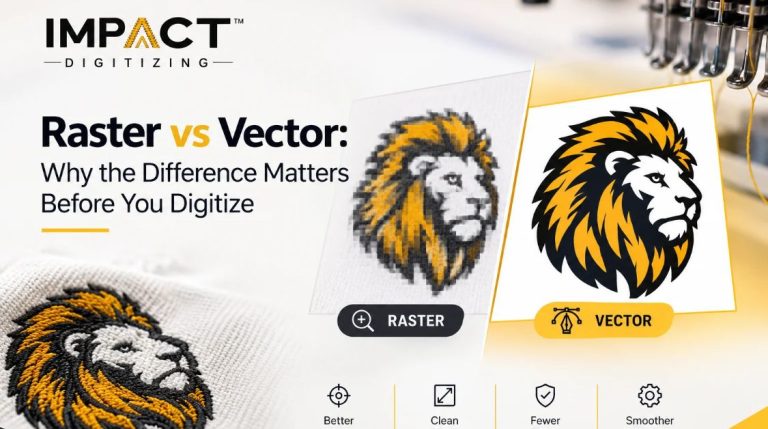
9. Starting With Low-Quality Images
If the artwork you start with is blurry or pixelated, your stitches won’t be accurate. Begin with crisp, clear images to give your digitizing software the best chance at success.
10. Skipping Test Runs Before Production
Even experienced digitizers need to test their work. A quick sample on the same type of fabric can reveal problems you might miss in the design file.
Conclusion
Embroidery digitizing is all about knowing how each design will behave in the real world. Every stitch counts, and every decision from tension to sequencing affects the outcome.
At Impact Digitizing, we specialize in delivering precise, production-ready stitch files tailored to your needs. Our expert team understands the technical side of embroidery, so you don’t have to worry about common mistakes disrupting your workflow.
Reach out to us today for professional digitizing services that bring your designs to life flawlessly and on time. Contact us here.
FAQs
1. Why does my embroidery design look off after stitching?
It could be due to poor planning, such as ignoring fabric movement or missing underlay stitches.
2. What makes a design too detailed for embroidery?
Tiny lettering, fine lines, or closely packed shapes often don’t stitch clearly and can blur together.
3. Do I need a different design for different fabrics?
Yes, materials like denim, silk, and stretch fabric each need different digitizing settings.
4. What happens if I skip testing my file?
You risk running into problems like uneven stitching or misalignment on your final garment.
5. Can I send any image to be digitized?
You should provide a high-quality image. The clearer the original, the better your embroidery result.